Intellicene Symphia integration
ForensiQ can be integrated with Intellicene Symphia to leverage its video extraction capabilities. You can import video segments from Symphia to ForensiQ for analysis. The imported videos will be indexed and available for running queries on them as you would with any other videos.
Prerequisites
- An Intellicene Symphia server reachable from the ForensiQ instance.
Configuration
-
Go to Settings Symphia VMS video footage import settings.
-
Fill in the fields:
-
Use HTTPS: Enable if your Symphia server is configured to use HTTPS.
-
Host: The hostname or IP address of your Symphia server.
-
User name: The username of the Symphia user that will be used to authenticate with the server.
-
Password: The password of the Symphia user that will be used to authenticate with the server.
- Click Update configuration to save the settings.
Importing videos from Symphia
-
Go to your Workspace or to a folder where you want to add the videos.
-
Click the + button on the folder's row select Upload from Symphia VMS.
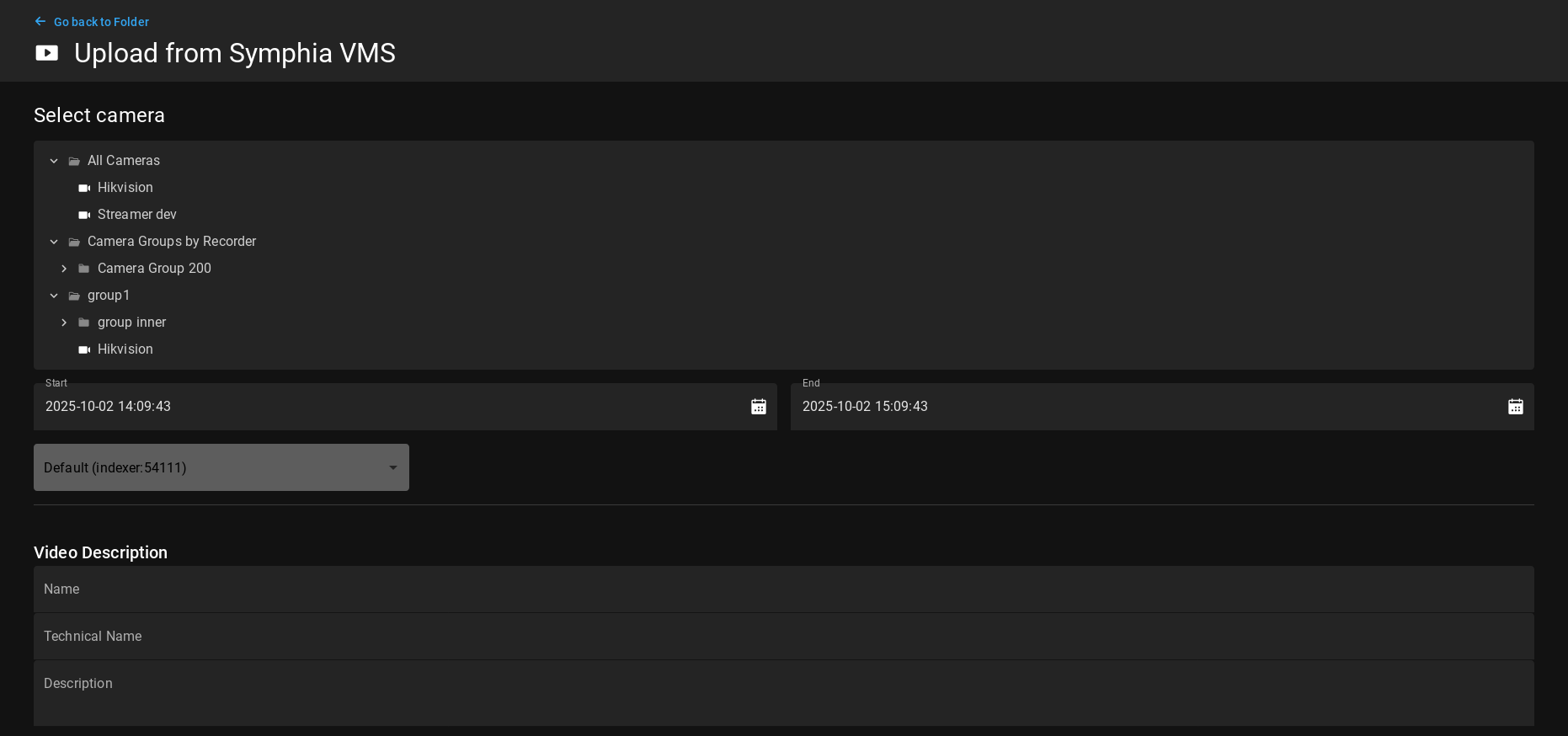
Here you can select the camera to import a video segment from. Select a a time range and the Indexer that will process the video. Fill in the video description details and review its Analysis parameters.
Click Upload to start the import. The video will be added to the current folder and indexed.