Alarms
Live analytics only
Alarms are only produced by Live analytics. Detections produced by Free text search or Advanced search can instead be saved and reviewed in Saved Searches.
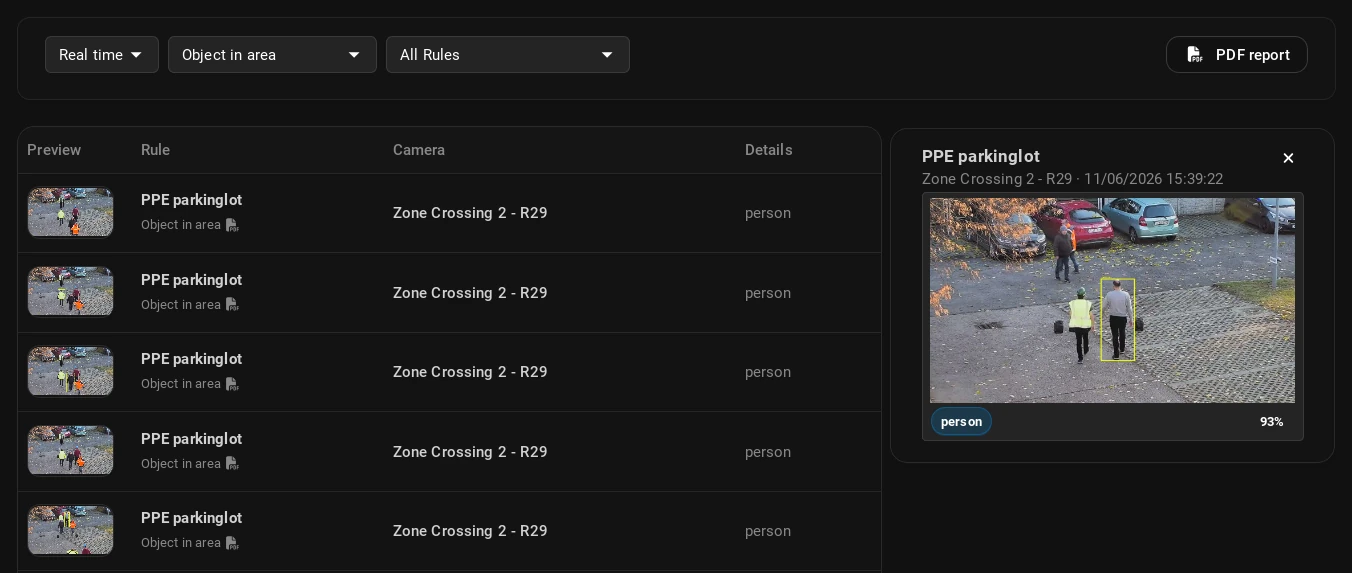
Selecting an alarm in the list opens a thumbnail preview on the right. Clicking the thumbnail opens its detailed view in a popup, including a video segment of the event and its metadata.
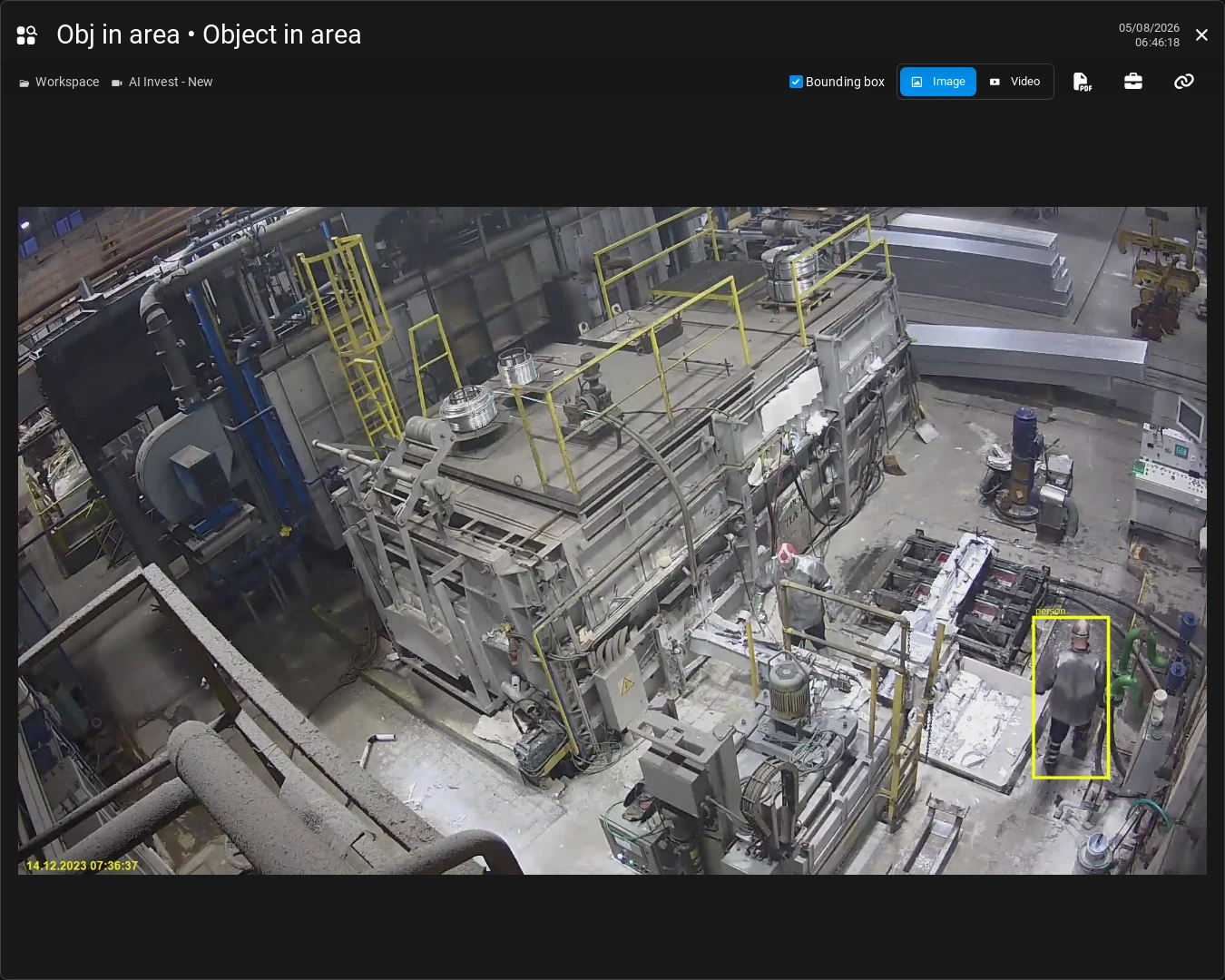
Detected objects are highlighted with a bounding box in the snapshot. Note that bounding boxes are not available for all Use Cases (for example, Area occupancy does not produce bounding boxes).
Click the buttons above the snapshot to perform additional actions.
-
Video/Image: Toggles between the video segment and the snapshot image of the detection.
-
Bounding box: Toggles the bounding box of the detected object(s) on the snapshot.
-
Download PDF: Downloads a PDF report of the alarm, including the snapshot and metadata of the detection.
-
Add to Case: Adds the alarm to a Case if Cases are set up in the system.
-
Copy link: Copies the alarm's unique URL to your clipboard, allowing you to share it with others who have access to the Workspace or folder the alarm is in.