Integration
ForensiQ supports multiple integration methods to connect with external systems for event notification and data streaming. The main options are:
- Webhook: Send detection events to any HTTP endpoint for real-time integration.
- Kafka: Stream detection results to downstream consumers using a scalable message bus.
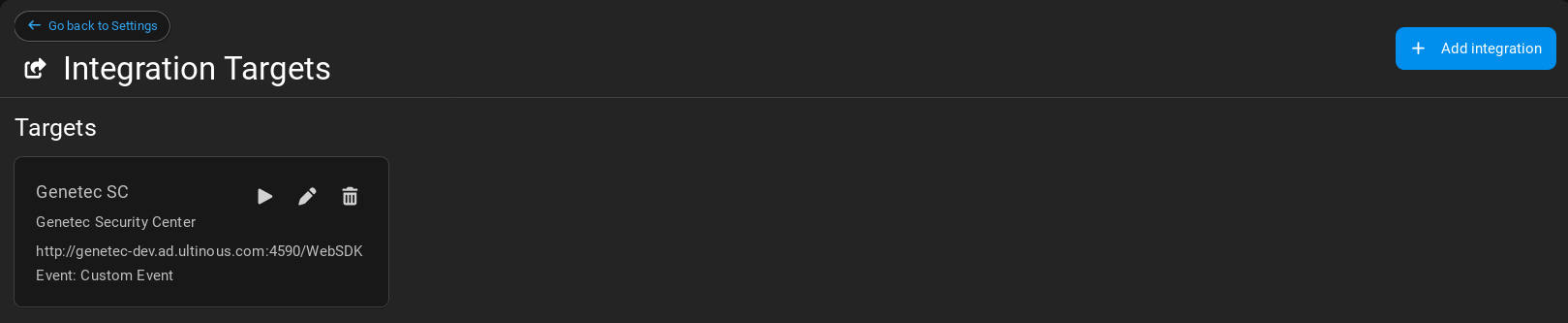
- Genetec Security Center: See Genetec Security Center Integration for details on sending events to Genetec SC.
- Milestone XProtect: See Milestone XProtect Integration for details on sending analytics events to Milestone XProtect.
Integration targets can be configured in Settings Integration Targets and then selected when setting up Live analytics for real-time event detection and notification.
Webhook
Searches can be configured to send detections to a Webhook URL.
-
Open Integration Targets from the Settings menu in the top right corner.
-
Click the Add Integration Target button and select Webhook from the dropdown menu.
-
Fill in the following fields:
- URL: The URL of the Webhook.
- Custom header key (optional): The static key of the custom header.
- Custom header value (optional): The value of the custom header. The value supports the same variables and syntax as webhook payload templates.
- Template (optional): A custom webhook request body. See Webhook payload templates.
Once the Webhook is configured as an integration target, it will appear in the list of available alarm integrations when setting up a Live Rule.
Webhook payload
Webhook payloads contain a unique eventId and the identifier and display name of both the Search/Rule and the Use Case. The same event ID is written to event Kafka and sent to every webhook target configured for an emitted event. Detection events contain a detections array:
Each input event is sent separately without timestamp grouping. A single detection produces a one-item detections array, a detection set produces one event containing the full set, and a detection pair produces one event containing both detections. The following is a complete detection webhook payload example:
Payload fields
| Field | Type | Description |
|---|---|---|
eventId |
string | Unique identifier of the event. For alarm events, this is the same identifier that is written to event Kafka. |
queryId |
string | Identifier of the Rule that produced the event. |
queryDisplayName |
string | Display name of the Rule that produced the event. |
queryTypeId |
string | Identifier of the Use Case. |
queryTypeDisplayName |
string | Display name of the Use Case. |
detections |
array | Detections affected by an alarm event. Present only for detection events. |
result |
object | Aggregated counting values. Present only for counting events. |
Exactly one of detections and result is present in a payload.
Detection objects can contain the following fields:
| Field | Type | Description |
|---|---|---|
video_id |
string | Identifier of the source video. |
frame_time |
integer | Frame timestamp in milliseconds since Unix epoch. |
track_id |
integer | Track identifier within the video. |
frame_width |
integer | Width of the source frame in pixels. |
frame_height |
integer | Height of the source frame in pixels. |
obj_type |
string | Detected object type. |
box |
object | Bounding box containing x, y, width, and height in pixels. |
confidence |
number | Detection confidence score. |
features |
object | Optional generic feature-vector data. |
person_attributes |
object | Optional person-specific attributes. |
vehicle_attributes |
object | Optional vehicle-specific attributes. |
attributes |
array | Additional Rule-specific name, type, and value attributes. |
end_of_frame |
Boolean | Indicates an end-of-frame marker. |
Generic detection attributes
The attributes array carries Rule-specific values that do not have dedicated fields in the detection schema. Each item has the following structure:
| Field | Type | Description |
|---|---|---|
name |
string | Stable attribute identifier. Names are case-sensitive and commonly use a component prefix, such as facerec. or crowd.. |
type |
string | Data type of the original value, such as string, float, double, integer, or long. |
value |
string | Attribute value serialized as text. Use type to convert it to the required native type. |
For example, a speed measurement is represented as:
"attributes": [
  {
    "name": "calcspeed.speed",
    "type": "float",
    "value": "42.5"
  },
  {
    "name": "calcspeed.unit",
    "type": "string",
    "value": "km/h"
  }
]
The following attributes can be produced by built-in Use Cases:
| Name | Typical type | Description |
|---|---|---|
facerec.entity_id |
string |
Identifier of the matched face-recognition entity. |
facerec.similarity |
float |
Similarity score of the face-recognition match. |
facerec.imageset |
string |
Identifier of the image set used for face recognition. |
free_text.similarity.<modelId> |
float |
Free-text similarity score for the model identified by <modelId>. |
anomaly_detection.earliest_frame_time |
long |
Earliest frame timestamp associated with an anomaly, in milliseconds since Unix epoch. |
calcspeed.speed |
float |
Calculated object speed. Interpret together with calcspeed.unit. |
calcspeed.unit |
string |
Speed unit, such as km/h or mph. |
presenceChange |
string |
Presence-change direction: appear or disappear. |
crowd.avg_count |
double |
Average number of detections in the crowd-analysis window. |
crowd.frame_detections_count |
integer |
Number of detections in the selected crowd frame. |
duallinecross.line_id |
integer |
Technical identifier of the crossed line. |
cluster |
string |
Identifier assigned to a face cluster. |
The available attributes depend on the Use Case and may be extended in future versions. Integrations should ignore unknown attribute names unless they are explicitly required.
The result object can contain the following fields:
| Field | Type | Description |
|---|---|---|
windowStart |
string | Start of the aggregation window in ISO 8601 format. |
windowEnd |
string | End of the aggregation window in ISO 8601 format. |
count |
integer | Count produced by traffic or dual-line counting. |
average |
number | Average object count in the window. |
minimum |
integer | Minimum object count in the window. |
maximum |
integer | Maximum object count in the window. |
windowStart and windowEnd are always present in counting results. Depending on the Use Case, the result contains either count, average, or average together with minimum and maximum.
{
  "eventId": "270ca400-331f-4aa4-b6f1-9ed5b9109465",
  "queryId": "b1f2459e-a2ee-4a3d-9566-ee1529e11bb2",
  "queryDisplayName": "Entrance alarm",
  "queryTypeId": "74ff47db-0957-43a0-851d-37d3abccf775",
  "queryTypeDisplayName": "Line crossing",
  "detections": [
    {
      "video_id": "c70bd9e9-4207-4d3e-b38c-386beb562bb3",
      "frame_time": 1747811848918,
      "track_id": 600,
      "frame_width": 1280,
      "frame_height": 960,
      "obj_type": "person",
      "box": {
        "x": 418,
        "y": 145,
        "width": 49,
        "height": 239
      },
      "confidence": 0.5888672,
      "attributes": [],
      "end_of_frame": false
    }
  ]
}
Counting integrations contain a result object instead of detections. Depending on the Use Case, the result contains count, average, or the average, minimum, and maximum statistics. Every result includes its aggregation window:
{
  "eventId": "929dfbe2-7067-46e4-a80f-825377cf55a4",
  "queryId": "b1f2459e-a2ee-4a3d-9566-ee1529e11bb2",
  "queryDisplayName": "Entrance traffic",
  "queryTypeId": "ddade24a-5265-4710-ac8a-ba3ade1cf271",
  "queryTypeDisplayName": "Traffic counting",
  "result": {
    "count": 4,
    "windowStart": "2025-05-26T10:00:00.000Z",
    "windowEnd": "2025-05-26T10:00:05.000Z"
  }
}
Webhook templates receive this same structure as their context. For example, Rule metadata is available as queryId, and the first detection is available as detections[0]. See Webhook payload templates for variable substitution, loops, conditionals, and syntax examples.
Kafka
Search results are stored in Kafka and can be accessed directly by downstream components. Different Use Cases may generate result sets with varying data schemas. This section documents the most common output data schemas used across Use Cases.
Detection
The following Use Cases return Detection records:
- Multi-condition event
- Free text search
- Free text search with threshold
- Time in area
- Object in area
- Line cross detection
- Object presence change
- Started object detection
- Stopped object detection
This is an example Detection record contained in the kafka record value. There are some other non-documented technical fields.
{
   "video_id":"c70bd9e9-4207-4d3e-b38c-386beb562bb3",
   "frame_time":1747811848918,
   "track_id":600,
   "frame_width":1280,
   "frame_height":960,
   "obj_type":"person",
   "box":{
      "x":418,
      "y":145,
      "width":49,
      "height":239
   },
   "confidence":0.5888672,
   "person_attributes":{
      "face_attributes":{
         "key_points":{
            "right_eye":{
               "x":0,
               "y":0
            },
            "left_eye":{
               "x":0,
               "y":0
            },
            "nose":{
               "x":0,
               "y":0
            },
            "mouth_right":{
               "x":0,
               "y":0
            },
            "mouth_left":{
               "x":0,
               "y":0
            }
         },
         "confidence":0.0,
         "box":{
            "x":0,
            "y":0,
            "width":0,
            "height":0
         }
      },
   },
   "vehicle_attributes":{
      "license_plate":{
         "confidence":0.0,
         "licence_plate":""
      }
   },
}
Field Descriptions
Some of the fields are technical, we only document the main fields:
-
video_id:
string
A unique identifier for the video from which the frame was extracted. Useful for correlating detections with specific video streams. -
frame_time:
integer (timestamp in milliseconds)
Epoch timestamp indicating when the frame was captured, in milliseconds since Unix epoch. This allows alignment with other time-based data streams. -
track_id:
integer
An identifier used to associate detections across frames, i.e., to track the same object over time. Unique per video per object instance. -
frame_width:
integer
Width of the video frame in pixels. Useful for normalizing coordinates or calculating relative positions. -
frame_height:
integer
Height of the video frame in pixels. Likeframe_width, this helps interpret bounding box dimensions in context. -
obj_type:
string
The semantic class of the detected object, e.g.,"person","car", etc. Derived from the object detection model. -
box:
object
Describes the bounding box around the detected object within the frame:- x:
integer— X-coordinate of the top-left corner of the box. - y:
integer— Y-coordinate of the top-left corner of the box. - width:
integer— Width of the bounding box in pixels. - height:
integer— Height of the bounding box in pixels.
- x:
-
confidence:
float
A score between 0 and 1 indicating the model’s confidence in the detection. Higher values imply greater certainty. -
person_attributes:
object
Further details if the object type isperson:- face_attributes:
object- filled if the face of the person has been detected: - key_points: Face key points
- confidence: Confidence of face detection between 0-1
- box: Face bounding box
- face_attributes:
-
vehicle_attributes:
object
Further details if the object type a vehicle class.
DetectionPair
The following Use Cases return DetectionPair records:
- Measure vehicle speed
- Near miss detection
- Tailgating detection
- Red light running
This is an example DetectionPair record contained in the kafka record value.
{
  "left": { /* Detection record */ },
  "right": { /* Detection record */ },
  "speed_in_meter_per_sec": 5.2
}
Field Descriptions
-
left:
object
A Detection record representing the first element of the pair. -
right:
object
A Detection record representing the second element of the pair. -
speed_in_meter_per_sec:
float(optional)
The speed of the object in meters per second, if available.
DetectionSet
Currently not used by any Use Case. It is defined to support some of the future Use Cases.
This is an example DetectionSet record contained in the kafka record value.
Field Descriptions
- detections:
array of object
A list of Detection records forming the set.